
Installation and Configuration
How to retrieve your Mondial Relay – InPost credentials (APIv1 and APIv2)
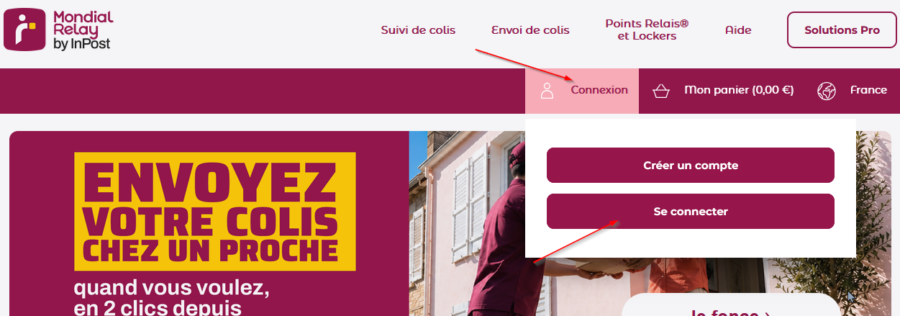
Access Connect via the link available in your account:
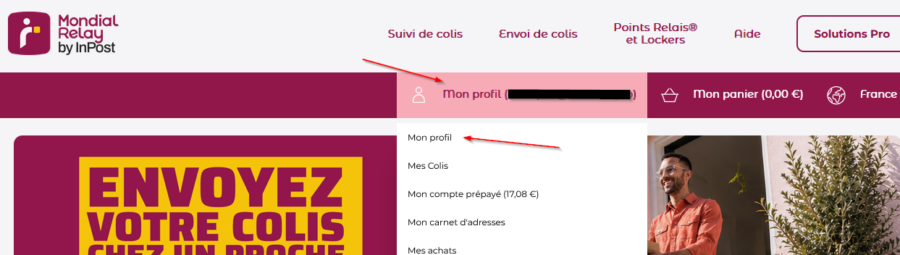
Go to « My Profile »:
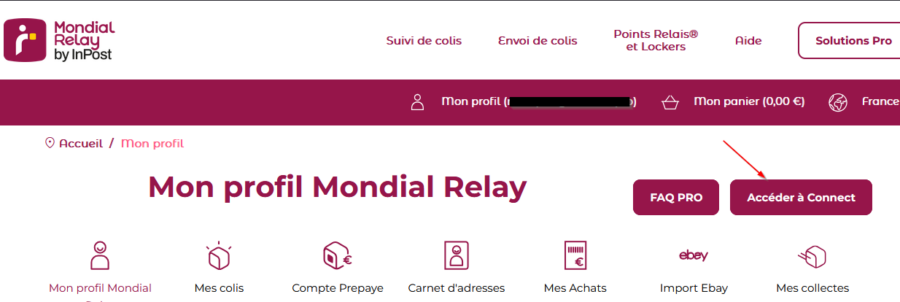
Then click the login link to your Connect space:
Once in your Connect space, go to the API configuration page (menu “Administration”, submenu “API, FTP, EDI Configuration”):

You will then have access to your production credentials for both APIs on the left, and your test credentials on the right:
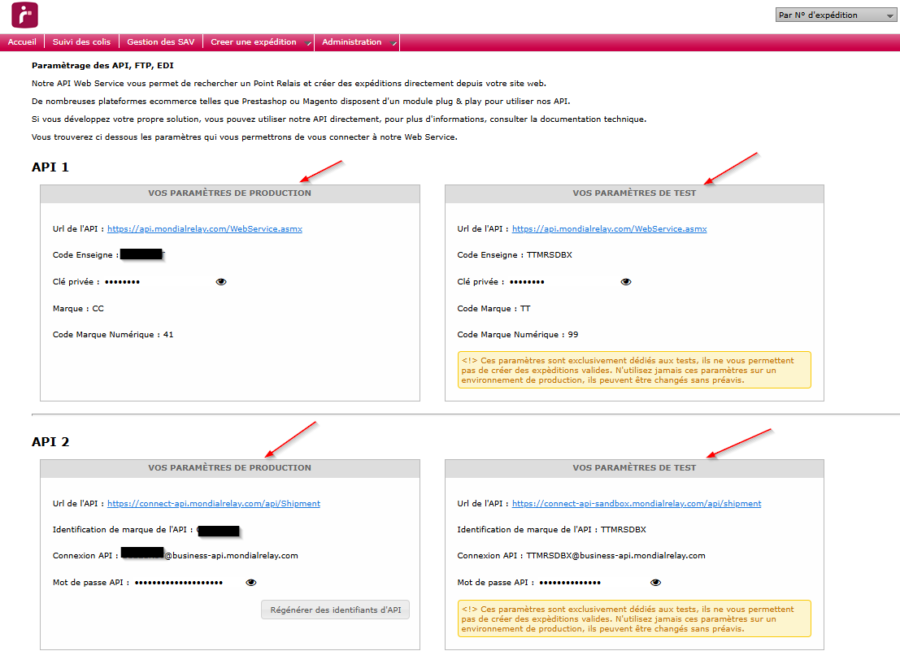
If you do not have codes for API v2, this means you must first activate them by clicking the « Regenerate API credentials » button. You will need to confirm the following message (only relevant if you already have codes on the page) to obtain your API v2 codes.
Note that private keys and passwords will be displayed after clicking the eye icon. For API v2, the identifier to enter in the plugin’s “API v2 login” field is the one ending in “@business-api.mondialrelay.com”.
These codes must then be entered in the plugin’s « Account » tab.